DreamShow or QLC+: which should you choose?
QLC+ is free, open-source lighting software that runs on Windows, macOS and Linux. DreamShow owes it a lot: its fixture library reuses the definitions in QLC+ format (more than 1,600). Both programs drive fixtures over DMX, but they do not aim at quite the same use. Here is what you need to choose without making a mistake.
In short
- You are on a Mac or Linux, or you want open-source software: take QLC+. It is complete, free and open source.
- You are on Windows and you want the show's lighting, sound and video on one timeline, to see everything in 3D before plugging in a single fixture, and a GO on the night of the performance: DreamShow is made for that. It is free too, with no feature or time limit, DMX output to real equipment included.
Both are free. The simplest approach is often to prepare the same scene in both. To see DreamShow at work before installing anything: the presentation video.
The table
| DreamShow | QLC+ 5 | |
|---|---|---|
| Price | Free, no feature or time limit | Free, open source |
| Systems | Windows 10 and 11 | Windows, macOS, Linux |
| Without paying | Everything, no limit (DMX output, video and stage devices included) | Everything, with no limit |
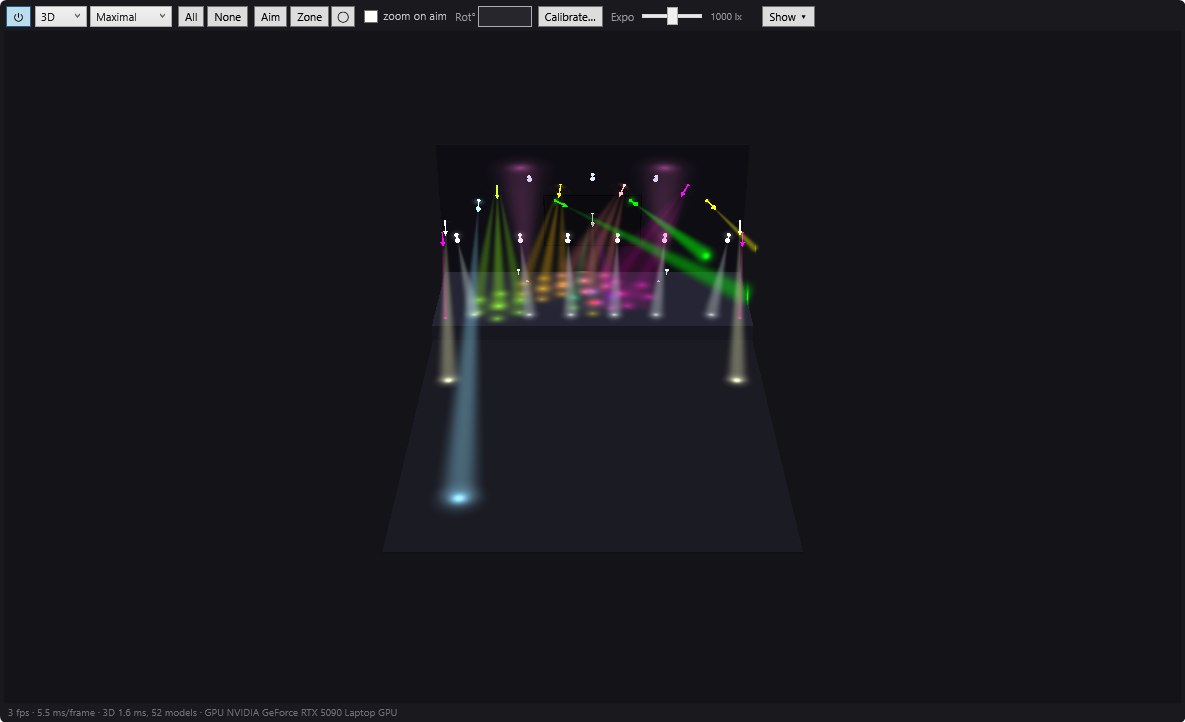
| 3D simulation | Yes, built in, photometric (illuminance in lux, pools of light on the floor and walls) | Yes, built-in 3D preview (version 5) |
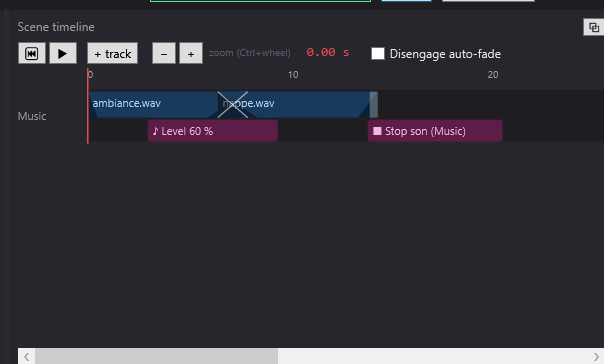
| Sound and video in the cue list | Yes: sound and video on the same timeline as the lighting (Windows screens and network video players) | Sound: yes (Show Manager); video: playback possible, not confirmed on the timeline |
| Programming | Timeline per scene + cue list (GO) | Timeline (Show Manager) and cues |
| DMX outputs | Art-Net, sACN, USB interfaces (DMX USB Pro and compatibles, uDMX); unlimited universes | Art-Net, sACN, many USB interfaces |
| Languages | English, French, German, Spanish, Italian, Chinese | Documentation in English, French, German, Italian, Spanish |
What DreamShow does not do
Better to know before choosing:
- No Mac or Linux version.
- No RDM (remote addressing of fixtures), no MVR import, no Ableton Link.
- A library of about 1,600 fixture definitions, completed by GDTF and QLC+ import and a built-in editor.
- No dedicated hardware control surface: DreamShow is driven with the mouse, the keyboard, MIDI controllers, a web remote or OSC.
- Young software (2026): fewer tutorials and a smaller community than longer-established software.
Choose QLC+ if…
- your computer is a Mac or runs Linux: DreamShow only runs on Windows 10 and 11;
- you want open-source software;
- you rely on the tutorials and mutual help of an established community;
- your USB DMX interface is neither the DMX USB Pro type nor uDMX: QLC+ states many USB interfaces;
- your QLC+ show already works well and you need nothing else.
Choose DreamShow if…
- you want sound and video on the same timeline as the lighting, with their fades, scene by scene: see Sound and video on the timeline;
- you want to prepare the whole show in 3D, without a single fixture plugged in, with a simulation that takes real illuminance (in lux) into account when the power of the fixtures is known: see 2D and 3D simulation;
- you play from a cue list: a window readable from a distance, the current scene, the next one, the message for the stage manager and a big GO button. See Show mode and the cue window;
- you want a first show written automatically from a piece of music or a theatre cue sheet, or a show written by the AI of your choice and checked by DreamShow;
- you want to aim the moving heads at a zone of the stage and cover it in one click.
Moving from QLC+ to DreamShow
Your fixture definitions
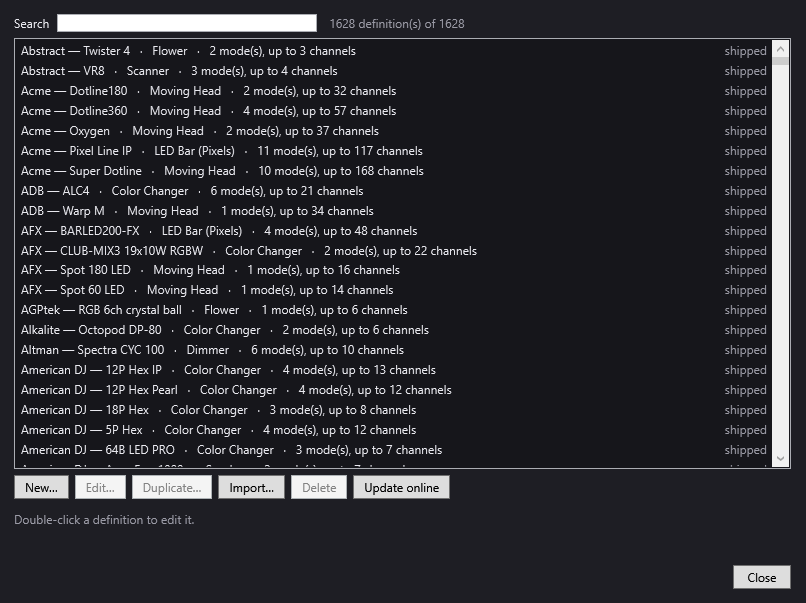
DreamShow reads the QLC+ format. Most of your models are probably already in its library. For those you created or modified yourself:
- Open Venue > Fixture library….
- Click Import… and choose your .qxf files (several at once if needed).
- Read the report: each file is checked, then copied into the “imported” folder.
One rule to know: the shutter channel must be called “Shutter”, otherwise the fixture may stay dark. Everything is explained in The fixture library.
Your shows
The DreamShow manual does not describe importing a whole QLC+ project. You declare the venue (the venue wizard places the fixtures and gives consecutive addresses), then you write your scenes in the timeline.
To keep an existing show, visualiser mode can help: QLC+ sends its DMX over Art-Net or sACN, DreamShow displays it in its 2D/3D simulation and can record it to a file. That file is then placed on a scene's timeline, like a DMX recording block. DreamShow's venue must declare the same fixtures, on the same universes and addresses.
Frequently asked questions
Does DreamShow use QLC+'s fixture definitions?
Yes. DreamShow ships with more than 1,600 definitions in QLC+ format, and it imports your .qxf files through Venue > Fixture library… > Import…. It also imports GDTF and DJworld profiles, and it has its own definition editor.
Do I have to pay for DreamShow, unlike QLC+?
No. Like QLC+, DreamShow is free, with no feature or time limit: DMX output to real equipment, video and stage devices are included. The differences are elsewhere: DreamShow runs only on Windows, while QLC+ is open source and runs on Windows, macOS and Linux.
Does DreamShow run on a Mac or on Linux?
No. DreamShow only runs on Windows 10 and 11 (64-bit). On a Mac or on Linux, QLC+ is the right choice.
Can I see my QLC+ show in 3D in DreamShow?
Yes, with visualiser mode (DMX > Visualiser mode (Art-Net / sACN in)…): DreamShow displays the DMX received from another program. While this mode is on, it sends nothing itself, so it never fights with the program that drives the venue.
Try DreamShow on your own show
DreamShow is free, with no feature or time limit: from 3D preparation to show night.