Manual contents
Manual › Getting started
Welcome to DreamShow
DreamShow is lighting, sound and video show control software for Windows. It drives your fixtures over DMX, plays sound and video, and coordinates other stage devices. Everything is prepared as a series of scenes, each with its own timeline, and then played back during the performance, scene after scene, with the GO button.
This manual explains every window, every setting and every button. It is written for operators, venue technicians, DJs and installers who are discovering DreamShow.
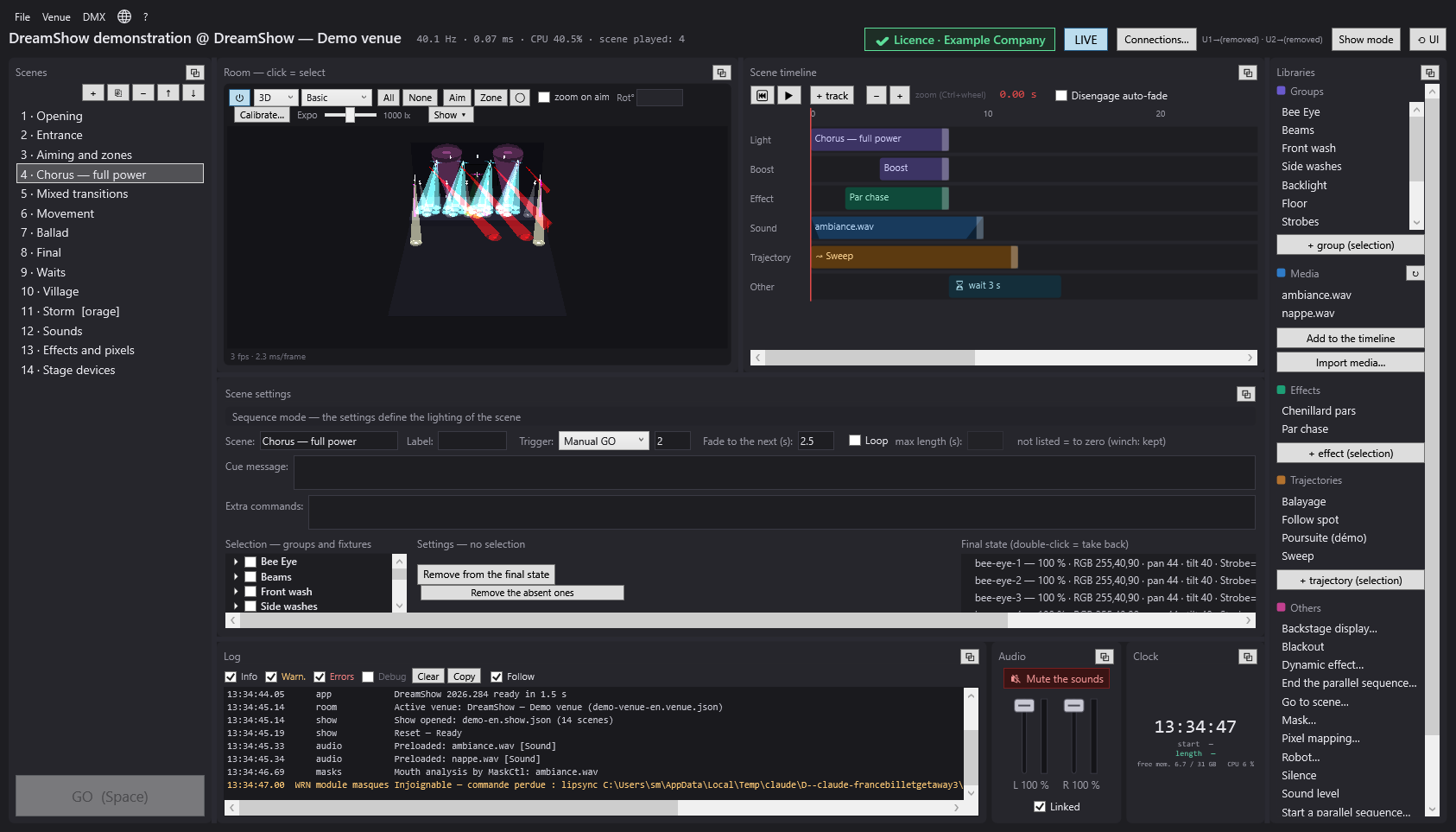
What DreamShow does
- Light: your fixtures are declared in a venue, with their DMX address and their position in metres. You set colours, intensities, moving-head positions (motorised heads), effects and trajectories. DreamShow sends the result as DMX over the network (Art-Net, sACN) or through a USB interface.
- Sound and video: sound files are played by DreamShow; videos are shown on screens (Windows monitors or video players on the network).
- The cue list: a show is a series of scenes. Each scene has a timeline (tracks and blocks: light, effects, sound, video, waits…) and a final state. During the performance, the cue window (Show mode) runs the scenes on GO, automatically or at a set time.
- 2D and 3D simulation: the venue is displayed with its beams, synchronised with the timeline. You can prepare everything without a single fixture connected.
- Stage devices: standalone player (plays a show back without a PC), follow-spot tablets, backstage displays, humanoid robots and LED masks.
DreamShow is free: the whole software is open, including control of real equipment (DMX output, IP video players, standalone player, tablets, displays, robots, masks). See DreamShow is free.
How to use this help
- F1 opens the help page that matches the current window.
- Search finds a word across all the pages.
- Links in the text lead to another page of the manual. Every page ends with a See also section.
Conventions used in this manual
- On-screen labels are written in bold, exactly as in the software: Save as….
- A menu path is written with the
>sign: File > Open a show… means “open the File menu, then click Open a show…”. - DreamShow's help menu is called ?; the language menu is shown as a globe (its tooltip reads Langue / Language).
Where to start
- If you have just installed DreamShow, the Welcome to DreamShow screen opens by itself: watch the demonstration, create a first show on a piece of music, or declare your fixtures. See First steps.
- To write a first show in two minutes: Creating your first show (music or theatre).
- To describe your real equipment: Declaring your fixtures (venue wizard).
- To understand the screen: Main screen overview.
The main parts of the manual
Getting started
- First steps
- Creating your first show (music or theatre)
- Declaring your fixtures (venue wizard)
- Installation, languages and updates
- DreamShow is free
The main screen
- Main screen overview
- The Scenes panel
- Scene settings
- Selecting fixtures and adjusting the light
- Palettes
- Libraries
- Log, Audio and Clock
- 2D and 3D simulation
The timeline
- The scene timeline
- Light and effect blocks
- Fades and mixes
- Sound and video on the timeline
- Waits (key, time, date, sun)
- Jumps and scene labels
- Parallel sequences
- Architectural lighting
- Dynamic effects
- Pixel mapping
Aiming, zones and trajectories
The venue
- Fixtures, addresses, positions
- The fixture library
- DMX connections
- Manual controls
- Video screens
- Switching, renaming, duplicating a venue
DMX and control
- DMX values and DMX faders
- Visualiser mode
- Sound-to-light and tempo
- Timecode (LTC / MTC)
- MIDI controllers
- The web remote
- The OSC remote
- The remote (GO keys)
The performance
Creating with an AI
Stage devices
Files
Help
Good to know
- The installed version is shown in the title bar (for example “DreamShow 2026.282”) and in ? > About DreamShow…. Always quote it when you ask for help.